
Freez Screen Video Capture 1.2 is an application that allows you to record and capture your own screen's movements and save them into an AVI file. When using this program, you will be able to record your cursor's movements and narrate the actions you are taking by using a microphone. The audio can be saved in several formats, including PCM, MP3, OGG, ADPCM and more.
Freez Screen Video Capture 1.2 is very easy to use. All you have to do to start recording is to press the record button and select the part of your screen that you want to record. Once you are recording, you will be able to pause and continue whenever you want. Once you press stop, you will be able to save the video and audio you recorded to any destination on your computer.
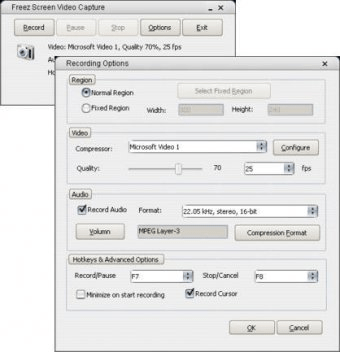
This software is very useful for people who wants to create a tutorial for a program, a training video, animated presentations and so on. You will be able to stop or pause the recording by pressing some defined hotkeys. Before you start recording, you will be able to set some advanced parameters, such as frame rate, quality, etc.
The program has got an extremely easy interface that will guide you on how to use it.






Comments (3)